Processor Gallery
The Processor Gallery provides a browsable catalog of all available processors organized by category. Explore pre-built processors for common document types, discover custom processor templates, and deploy models to your workspace.
Browsing the Gallery
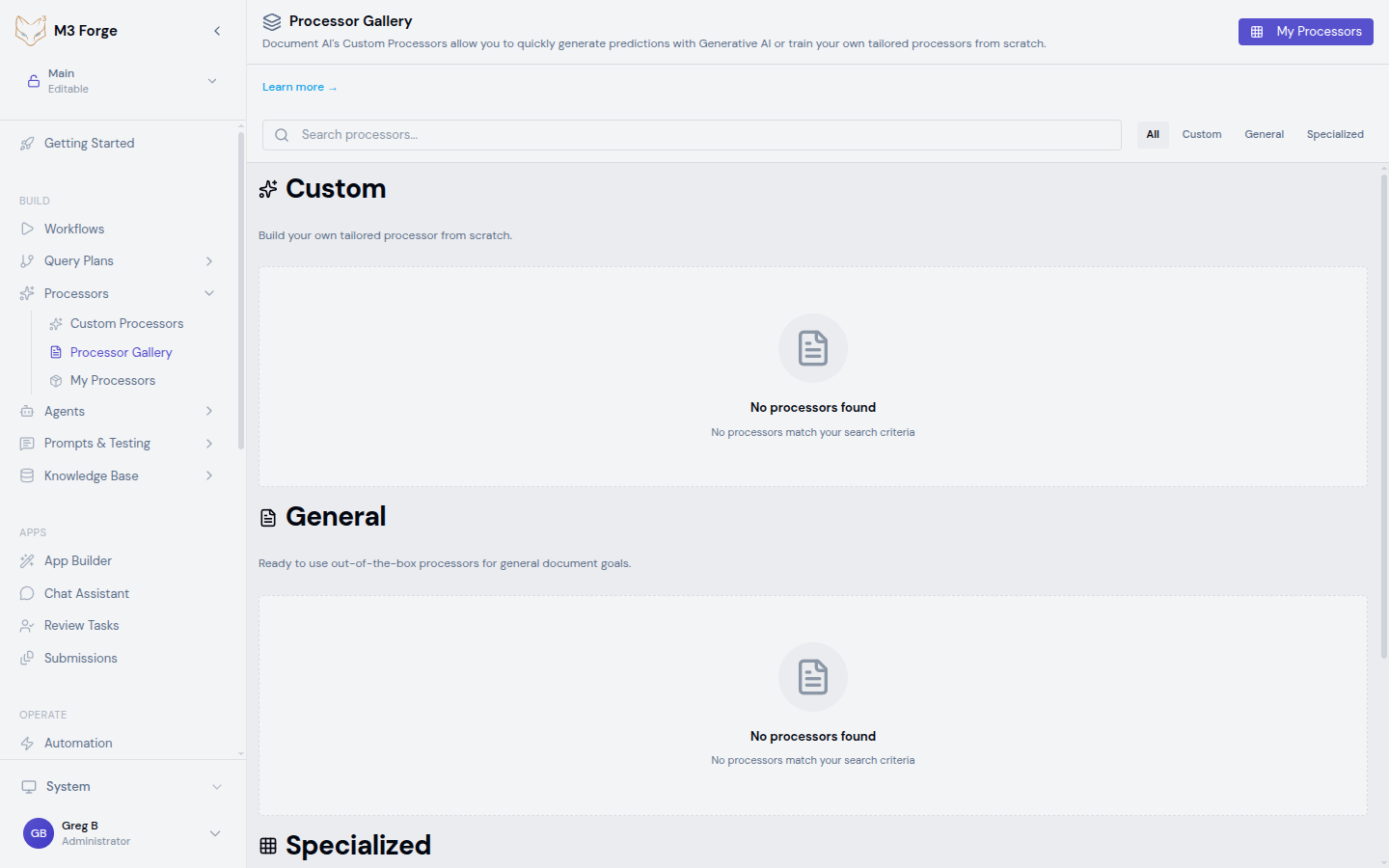
Access the gallery from Processors → Processor Gallery in the sidebar.
The gallery organizes processors into three categories:
| Category | Description | Examples |
|---|---|---|
| Custom | Build your own tailored processor from scratch | Custom Extractor, Custom Classifier, Custom Splitter, Custom Layout, Summarizer |
| General | Ready-to-use processors for common document tasks | Document OCR, Form Parser, Layout Parser |
| Specialized | Schematized processors for domain-specific documents | Invoice Parser, Receipt Parser, Bank Statement Parser, Pay Slip Parser, Identity Document Proofing, Expense Parser, US Driver License Parser, US Passport Parser, Utility Parser, Lending Doc Splitter/Classifier, Procurement Doc Splitter |
Search and Filter
- Search bar — Find processors by name or description
- Category filter — Toggle between All, Custom, General, and Specialized
- Processor cards show display name, description, category badge, type, capabilities, and usage statistics
Gallery processors marked as trainable can be fine-tuned on your data after deployment for improved accuracy on your specific documents.
Processor Cards
Each processor card in the gallery displays:
- Icon and color — Visual identifier
- Display name — Processor name
- Description — What the processor does
- Category badge — Custom, General, or Specialized
- Type badge — Processor type (e.g., custom_extractor, invoice_parser)
- Capabilities — List of supported features
- Example use case — Representative usage scenario
- Trainable indicator — Whether the processor supports custom training
- Usage statistics — Execution count and last executed date
Click any card to view full processor details.
Pre-Built Processors
General Processors
Document OCR
- Optical character recognition for scanned documents
- Supports PDF, PNG, JPEG, TIFF formats
- Multi-language text extraction
- Table and form field detection
Form Parser
- Extract key-value pairs from structured forms
- Checkbox and radio button detection
- Handwriting recognition
- Multi-page form support
Layout Parser
- Analyze document structure and visual hierarchy
- Detect text regions, tables, figures, headers
- Determine reading order
- Multi-column layout support
Specialized Processors
Financial:
- Invoice Parser — Extract invoice fields (number, date, vendor, line items, totals)
- Receipt Parser — Extract receipt data (merchant, date, items, total, payment method)
- Bank Statement Parser — Parse bank statements (accounts, transactions, balances)
- Expense Parser — Process expense reports and receipts
- Pay Slip Parser — Extract payroll information
Identity:
- Identity Document Proofing — Verify and extract identity document data
- US Driver License Parser — Parse US driver license fields
- US Passport Parser — Extract US passport information
Other:
- Utility Parser — Process utility bills
- Lending Doc Splitter/Classifier — Split and classify lending document packages
- Procurement Doc Splitter — Split procurement document bundles
Deploying a Processor
Select a Processor
Browse the gallery and click a processor card to view details. Review:
- Description — What the processor does
- Capabilities — Supported features and document formats
- Category and type — Classification information
- Usage statistics — How widely the processor is used
Deploy to Workspace
Click Create processor to add the processor to your workspace. Enter:
- Processor Name — Customize the display name for your instance
Access in My Processors
After creation, the processor appears in My Processors where you can:
- Configure settings
- Upload test documents
- Run the processor
- Add to workflows
- Fine-tune with custom training data (if trainable)
Pre-built processors are trained on general datasets. For best accuracy on your specific documents, consider fine-tuning with custom training data or creating a Custom Processor.
Custom Processors in Gallery
The Custom category in the gallery provides templates for creating new custom processors:
- Custom Extractor — Train extraction models on your documents
- Custom Classifier — Train classification models with your labels
- Custom Splitter — Train splitting models for your document bundles
- Custom Layout — Train layout detection for your format variations
- Summarizer — Generate document summaries using Generative AI
Clicking Create processor on any custom type opens the creation panel, identical to the Custom Processors page.
Processor Metadata
Each gallery processor includes:
Performance Information
- Capabilities — List of supported features
- Example use case — Representative usage scenario
- Trainable — Whether the processor supports custom training
- Execution statistics — Usage count and timing data
Compatibility
- Supported formats — PDF, images (PNG, JPEG), TIFF, etc.
- Processing endpoint — Backend execution path
- Access status — Public or private visibility
Next Steps
- Create your own Custom Processors
- Configure Annotators for labeling
- Launch Training Jobs to improve accuracy
- Integrate processors into Workflows